94FBR GTA 5 APK: Android Compatibility, Features and Guide
12MB
v2.1.3
Android 5+
2000+

Description
Many Android users search for 94FBR GTA 5 APK because they want to experience the popular Grand Theft Auto world on a smartphone. These searches often lead to websites claiming to provide a mobile version of the original game. However, users should understand the difference between an official release, a modified application and a game streaming solution.
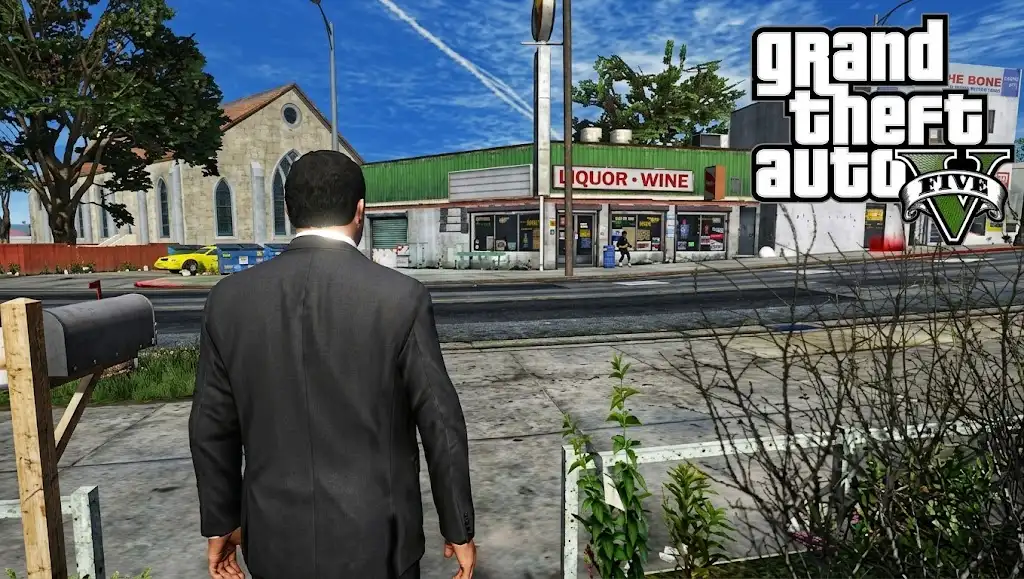
GTA 5 was developed primarily for PC and supported gaming consoles. A website using the term “94FBR GTA 5 APK” does not automatically provide an official Android version. Therefore, checking the source, compatibility details and installation requirements is important before downloading any file.
What Players Usually Expect From a GTA 5 Mobile Version
Smartphone users generally want convenient access to open-world gameplay without purchasing a separate gaming device. They may also expect familiar vehicles, missions, character movement and detailed environments.
Open-World Freedom
An open-world game allows players to explore different locations instead of following a single fixed path. Players may prefer driving through cities, discovering new areas and interacting with the game environment.
Mission-Based Gameplay
Story missions give players objectives to complete. These tasks may involve driving, exploration, character interactions and action sequences, depending on the game version.
Vehicle Selection
Cars, motorcycles and other vehicles contribute to the overall gameplay experience. However, the availability of specific vehicles depends on the actual game and should not be assumed from an APK website’s promotional images.
Customisation and Controls
Mobile players often prefer adjustable controls, responsive movement and settings that match their screen size. Unofficial APK files may not provide these features reliably.
94FBR GTA 5 APK: Important Details to Understand
The following table explains the basic information users should verify before choosing a mobile gaming option.
| Information | Details |
|---|---|
| Search term | 94FBR GTA 5 APK |
| Game commonly associated with the search | Grand Theft Auto V |
| Original developer | Rockstar Games |
| Main gameplay style | Open-world action and adventure |
| Official Android GTA 5 APK | No official native Android release of GTA 5 |
| Possible mobile access | Remote play or streaming from a compatible gaming system |
| APK verification | Check the developer, source and file behaviour |
| Main concern | Fake downloads and potentially harmful files |
How to Access GTA 5 Gameplay Using a Smartphone
Although the original GTA 5 does not have an official native Android APK, some players can access their existing game through supported remote-play or streaming arrangements.
Option 1: Stream From a Compatible Gaming System
If you own a compatible PC or console with GTA 5 installed, you may be able to stream gameplay to another device using an appropriate remote-access solution. The exact method depends on your hardware, software and network setup.
For a smoother experience, consider these requirements:
- A stable Wi-Fi or other suitable internet connection.
- A compatible computer or console that can run the game.
- A supported streaming application.
- Enough battery power for extended sessions.
- A controller or suitable touchscreen input arrangement.
Streaming displays gameplay from another system. It does not mean that the full PC or console game has been installed as a native Android application.
Option 2: Explore Official Mobile Grand Theft Auto Titles
Players who want a locally installed game can investigate Grand Theft Auto titles officially released for supported mobile platforms. Availability, device compatibility and purchase requirements vary by title and region.
Before installing a game, check the official app-store listing and confirm that the developer information matches the authorised publisher.
Android Hardware: What Matters for Gaming?
Hardware requirements depend on the particular game or streaming method. An APK that claims to run GTA 5 directly on Android should not be trusted simply because it lists a minimum RAM or storage figure.
Processor and Graphics Performance
A phone’s processor and graphics hardware affect frame rates, loading times and visual quality. Demanding games may struggle on entry-level devices, especially when the software is not designed for the phone’s hardware.
Available Storage
Keep sufficient free storage for the application, temporary files and system updates. However, a large download does not prove that an APK contains the original GTA 5 game.
Memory and Background Apps
Closing unnecessary applications can free system resources. Even so, additional RAM cannot turn an incompatible PC game into a supported native Android release.
Network Quality for Streaming
Streaming performance depends on latency, connection stability and available bandwidth. A fast connection with unstable latency can still produce delayed controls or interrupted gameplay.
A Practical Checklist Before Installing an APK
Unknown installation files can expose users to security and privacy risks. Use the following checks before opening an APK downloaded from an unfamiliar website.
- Identify the publisher: Look for reliable developer information and an authorised distribution source.
- Inspect the download destination: Avoid pages that redirect repeatedly or open unexpected advertisements.
- Review requested permissions: A game should not need unrelated access to sensitive information without a clear reason.
- Scan the file: Use reputable mobile security software where available.
- Avoid unknown installers: Do not install additional applications simply because a download page demands them.
- Protect your accounts: Never provide passwords, verification codes or payment details to an unverified gaming website.
- Keep Android updated: Security updates help reduce exposure to known vulnerabilities.
These checks can reduce risk, but no single scan guarantees that a file is completely safe.
Common Installation Issues and Their Possible Causes
Android Blocks the Installation
Android may block an application because the file comes from an unknown source, fails verification or conflicts with device security settings. Do not disable security protections merely to force an unfamiliar APK to install.
The Game Closes Immediately
Unexpected crashes may result from incompatible software, corrupted files, insufficient resources or a misleading download. If the source cannot establish that the application is legitimate, remove it rather than repeatedly reinstalling it.
The Screen Remains Black
A black screen can indicate a compatibility problem, a broken application or an unsupported game build. Clear troubleshooting steps are difficult to provide without identifying the actual software and its source.
The Download Page Requests Another App
Some websites use misleading buttons that lead to unrelated downloads. Close the page if it repeatedly redirects, requests unnecessary permissions or asks you to install an unrelated application before revealing the promised file.
Mobile Gaming: Benefits and Trade-Offs
Playing on a smartphone offers convenience, portability and easy access to touch controls. However, these benefits depend on whether the game officially supports Android or runs through a compatible streaming setup.
| Factor | Potential Benefit | Possible Limitation |
|---|---|---|
| Portability | Play away from a television or monitor | Phone battery may drain quickly |
| Touchscreen | No separate controller required in some games | Controls may feel less precise |
| Streaming | Access gameplay from another system | Depends on network quality |
| Graphics | Enjoy games on a compact display | Performance varies by device |
| Installation | Local mobile games can be convenient | Unverified APKs may carry security risks |
Better Ways to Find a Reliable GTA Experience
Start by identifying what you want: a locally installed Android game, remote access to a PC or console, or another open-world experience.
If you want the original GTA 5, consult Rockstar Games’ official website and supported platform information. If you prefer Android gaming, check authorised mobile storefronts for compatible titles.
You should also compare the listed developer, supported devices, purchase terms and update history. These details provide more useful evidence than claims such as “100% working,” “unlimited money” or “full PC graphics on every phone.”
Final Thoughts
The 94FBR GTA 5 APK search reflects the interest in playing open-world games on Android devices. However, the name alone does not verify an official mobile release or guarantee a working installation. Players should confirm the software’s source, understand the difference between native installation and remote streaming, and avoid files that request unnecessary permissions. A verified mobile title or a properly configured streaming method offers a more dependable way to enjoy gaming without exposing personal information to unknown downloads.
Frequently Asked Questions
1.Is 94FBR GTA 5 APK an official Android game?
No. Rockstar Games has not released the original GTA 5 as a native Android APK. Unofficial websites may use this search term to advertise files or alternative experiences.
2.Can I install the complete GTA 5 game directly on Android?
There is no official native Android version of the complete GTA 5 game. Claims that an APK provides the original game should be checked carefully.
3.Can I play GTA 5 on my phone without installing its full game files?
Depending on your hardware and setup, remote play or streaming may allow you to access a compatible PC or console game from a phone.
4.Does every GTA 5 APK work on all Android devices?
No. Unofficial files may be incompatible, incomplete or unsafe. Device specifications alone cannot establish whether a file is authentic.
5.Why does an APK ask for unusual permissions?
The application may request access for legitimate functions, or it may be collecting information unnecessarily. Avoid granting sensitive permissions when their purpose is unclear.
6.What should I do if the installation fails?
Stop the installation if the source is unverified. Remove suspicious files, review your device’s security status and obtain games through authorised channels.